
If you are searching for www.nicview.net login, you are most likely trying to access the NICVIEW video-streaming service provided through a participating hospital or NICU. NICVIEW is designed to let authorized parents and family members view a newborn through a secure camera system when they cannot be physically present at the hospital.
The crucial point here is that NICVIEW isn’t some public video streaming platform for anyone who wants access. NICVIEW is managed through individual hospitals and health centers, and access credentials are usually given to registered family members. Natus (who created NICVIEW) calls the system a password-protected web-based site for viewing one’s baby with any device attached to the net.
Table of Contents
Key Takeaways
| Question | Short Answer |
|---|---|
| What is NICVIEW? | A secure video-streaming system used by participating hospitals to help families view newborns in the NICU. |
| Who can log in? | Authorized parents, family members, caregivers, or other users approved by the hospital. |
| Where do credentials come from? | Usually from the hospital or NICU staff managing the service. |
| Can anyone create an account? | Generally, access is facility-controlled rather than an open public registration system. |
| What devices can be used? | Depending on the deployment, computers, smartphones, tablets, or supported apps/web access may be available. |
| What if login fails? | Verify credentials, internet access, browser/app compatibility, and contact the hospital or NICVIEW support if necessary. |
What Is NICVIEW?
NICVIEW is a video camera and streaming system designed specifically for healthcare environments, particularly neonatal intensive care units.
Natus describes its current NICVIEW 2 system as providing 24/7 video streaming, HD-quality video, password-protected access and encryption. The system is designed so that authorized family members can remain connected with a newborn even when they are away from the hospital.
This technology has been widely adopted by hospitals for years. In 2015, Natus announced the acquisition of Nicview, calling it a system comprised of the IP cameras and secure mobile viewing along with access control for families and designated friends.
Such a distinction is important when you are attempting to locate the login page. You can often land on a third-party page by searching for the service, which may provide outdated instructions and/or links. Given the sensitive nature of accessing your baby’s video feed, you should probably stick with the web address or instructions for access given by your hospital.
How Does www.nicview.net Login Work?
The www.nicview.net login process is relatively straightforward when your hospital has already created and authorized your account.
The basic workflow is:
- Open the NICVIEW access page supplied by your hospital.
- Enter your assigned username or other login information.
- Enter your password.
- Select the login/sign-in option.
- After successful authentication, access the camera feed made available to your account.
The exact screen can vary because healthcare facilities may use different NICVIEW configurations and versions. Natus says its NICVIEW 2 platform supports secure sign-in through an app and can also integrate with hospital Active Directory for facility staff access.
Where Do You Get Your www.nicview.net login Credentials?
This is one of the most important things to understand.
You normally should not attempt to obtain another person’s credentials or use credentials found online. Your hospital or NICU team should tell you how your account is activated and provide the necessary information.
A Cleveland Clinic description of its NICVIEW implementation, for example, notes that nurses worked with parents on consent and explained how to access the service from phones, tablets and computers.
Your hospital may therefore provide access information:
- During NICU admission
- After completing a consent process
- Through printed instructions
- Through hospital staff
- Through an authorized email or other communication method
If you have not received credentials, contacting the NICU is usually more useful than repeatedly trying different passwords.
www.nicview.net Login Step-by-Step
Step 1: Use the Access Information From Your Hospital
Start with the exact website, application or instructions supplied by your healthcare provider.
This is safer than selecting a random login page from a search result because third-party websites can contain outdated instructions.
Natus NICVIEW 2 official product information
Step 2: Check Your Username
Carefully enter the username provided to you.
Watch for:
- Extra spaces
- Incorrect capitalization
- Missing characters
- Confusion between similar characters
- Autofill inserting an old username
If your hospital provided the credentials in writing, compare what you entered with the original information.
Step 3: Enter Your Password
Enter the password exactly as provided.
Avoid copying credentials from an untrusted website. A third-party article should never be treated as a source for someone else’s NICVIEW username or password.
Step 4: Select Sign In
Submit the credentials using the login button.
If the credentials are correct and the account is active, you should proceed to the portion of the system your hospital has authorized.
Step 5: Check the Video Feed
Once logged in, the available camera feed depends on your hospital’s configuration.
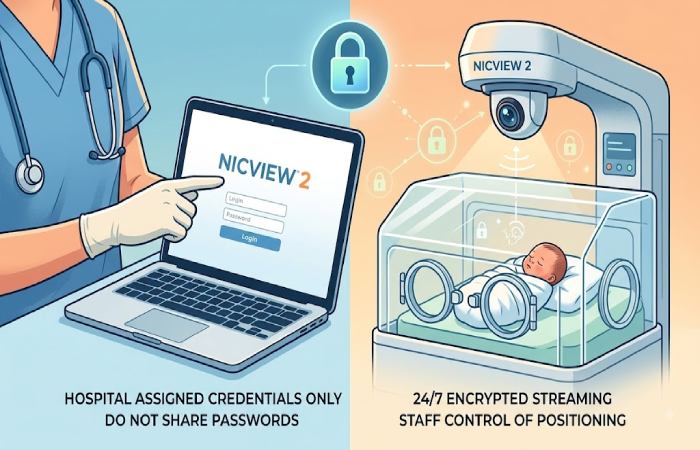
NICVIEW is designed to give authorized viewers access to their newborn’s camera feed while allowing NICU staff to retain control over camera positioning and viewing. Natus specifically highlights this clinical control as part of the system design.
What If www.nicview.net Login Is Not Working?
Login problems do not necessarily mean your account is permanently disabled.
Start with the simplest checks before contacting support.
| Problem | What to Check |
|---|---|
| Wrong password | Re-enter it carefully and check capitalization. |
| Wrong username | Compare it with the information supplied by the hospital. |
| Page does not load | Check your internet connection and try another supported browser/device. |
| Login works but video does not appear | Refresh the page and check whether the camera is currently available. |
| App problem | Update the app or try the hospital-recommended web access method. |
| Account problem | Contact the NICU or service administrator. |
| Repeated authentication failure | Stop guessing passwords and request assistance. |
Check Your Internet Connection
Live video requires a stable connection. If other websites are loading slowly or video services are buffering, the problem may not be your NICVIEW account.
Try:
- Switching between Wi-Fi and mobile data
- Moving closer to your Wi-Fi router
- Restarting the network connection
- Testing another device
Try Another Supported Device
Natus states that NICVIEW 2 is designed for access from online devices and provides app-based access for Android and iOS devices.
If the service works on your phone but not your computer, the issue may be device-, browser- or configuration-specific.
Do Not Keep Guessing Passwords
Repeatedly entering random passwords is not a good troubleshooting strategy.
If you are confident that the credentials you received are correct but authentication continues to fail, contact the appropriate hospital or NICVIEW support channel instead.
What If You Forgot Your NICVIEW Password?
If you cannot remember your password, use the password-recovery process presented by the legitimate NICVIEW login system if one is available for your account.
If no recovery option is available, contact the organization that issued your credentials.
Do not search online for a generic NICVIEW password. Because the platform provides access to a live newborn camera, credentials are private and should never be shared publicly.
The original NICVIEW documentation identifies technical support resources and lists support contact information for the service.
Is NICVIEW Secure?
Security is particularly important for a platform that provides access to images of newborns.
Natus states that NICVIEW 2 uses password-protected access, end-to-end encryption and SSL authentication. It also says that parental access is restricted to the authorized newborn.
However, users still have an important role in protecting their accounts.
Follow These Security Practices
Never share your password publicly.
Avoid sending your credentials through public social media posts, forums or comments.
Do not use credentials from another family.
NICVIEW access is intended to be restricted to authorized users.
Avoid suspicious login links.
If someone sends you an unexpected link requesting your NICVIEW credentials, verify it with your hospital.
Use a private device where possible.
Avoid entering sensitive credentials on public or shared computers.
Log out when appropriate.
Especially when using a shared device.
Keep your browser and operating system updated.
Security updates can reduce exposure to known vulnerabilities.
NICVIEW and Hospital Privacy
NICVIEW is different from an ordinary entertainment livestream because the camera operates within a healthcare environment.
Natus says NICVIEW cameras can be activated, turned off and repositioned by NICU staff, keeping the clinical team in control of the camera.
This means that a blank screen or unavailable camera does not automatically indicate a broken account.
There may be situations where:
- Staff temporarily disable the camera
- The camera is repositioned
- The baby is receiving care
- The camera is unavailable
- The hospital’s system is undergoing maintenance
- Your access has changed
If your credentials work but the expected feed is unavailable, contact the NICU before assuming your account has failed.
Can Family Members Use NICVIEW?
NICVIEW was specifically developed to help families stay connected with newborns who are hospitalized.
Historical information from Natus describes secure password access for family members and authorized friends.
However, exactly who can access a particular camera is determined by the hospital’s policies and account configuration.
Therefore, do not assume that a relative can automatically use your account.
If grandparents or another caregiver need access, ask the hospital whether additional authorized users can be created.
Does NICVIEW Replace Visiting the NICU?
No.
This is an important distinction that is sometimes lost in generic login articles.
NICVIEW provides visual connection, but it does not replace clinical communication, bedside care or medical decision-making.
Natus positions the technology as a way to help families remain involved when physical presence is difficult. Its product information emphasizes family connection while also making clear that NICU staff remain in control of the camera and clinical environment.
A camera should therefore be viewed as a connection tool, not as a remote medical-monitoring substitute.
If you are concerned about your baby’s health, contact the NICU team rather than attempting to interpret a video feed yourself.
NICVIEW’s Role in Family-Centered NICU Care
The value of NICVIEW extends beyond simply watching a video.
Families with a newborn in intensive care may be separated from their baby because of work, distance, other children, illness or hospital restrictions. Video access can provide another way to maintain a sense of connection.
A Cleveland Clinic report on NICVIEW implementation described strong parent enthusiasm and reported improvement in a patient-experience measure following implementation, although that single hospital experience should not be interpreted as proof that camera systems independently improve clinical outcomes.
This is an important evidence distinction: NICVIEW can support connection and the family experience, but that is different from claiming that watching a livestream medically improves a baby’s condition.
NICVIEW 2: What’s Different?
Current official information from Natus identifies NICVIEW 2 as the newer version of the platform.
Natus highlights:
- 24/7 video streaming
- HD-quality video
- Improved low-light performance
- App-based access
- End-to-end encryption
- SSL authentication
- Hospital-controlled camera positioning
- Active Directory integration for hospital staff
- A software platform designed for future development
This is useful context for anyone finding older NICVIEW login guides online. A page published several years ago may describe an older interface, old URLs or legacy procedures.
For that reason, the login instructions supplied by your current hospital should take priority over an old blog post.
www.nicview.net Login vs. Third-Party Login Guides
Search results for NICVIEW contain many third-party websites that publish login instructions.
Some are useful for general orientation, but they should not automatically be treated as authoritative.
For example, older third-party guides reference legacy NICVIEW login paths and domains.
The stronger approach is to separate general guidance from official access instructions:
| Information | Best Source |
|---|---|
| How NICVIEW works | Natus |
| Current product features | Natus |
| Your username | Your hospital/NICU |
| Your password | Your hospital/NICU or approved recovery process |
| Hospital-specific access rules | Your hospital |
| Camera availability | NICU staff/system |
| Technical support | Natus or the designated hospital administrator |
This distinction is especially important because healthcare login credentials are more sensitive than credentials for an ordinary consumer website.
Final Verdict
The safest way to approach www.nicview.net login is to treat NICVIEW as a hospital-controlled healthcare access system, not as an ordinary public website.
If you already have credentials, use the access instructions provided by your NICU and keep those credentials private. If you have forgotten your password, cannot access the service, or never received login information, the hospital’s NICU team or authorized technical support is the appropriate place to start.
NICVIEW’s real value is not simply the login screen. Its purpose is to give authorized families a secure visual connection with newborns who are receiving care in the NICU. Natus’s current NICVIEW 2 platform emphasizes secure access, continuous streaming and hospital-controlled camera operation, while clinical reports show why families can find this type of connection meaningful during a difficult period.